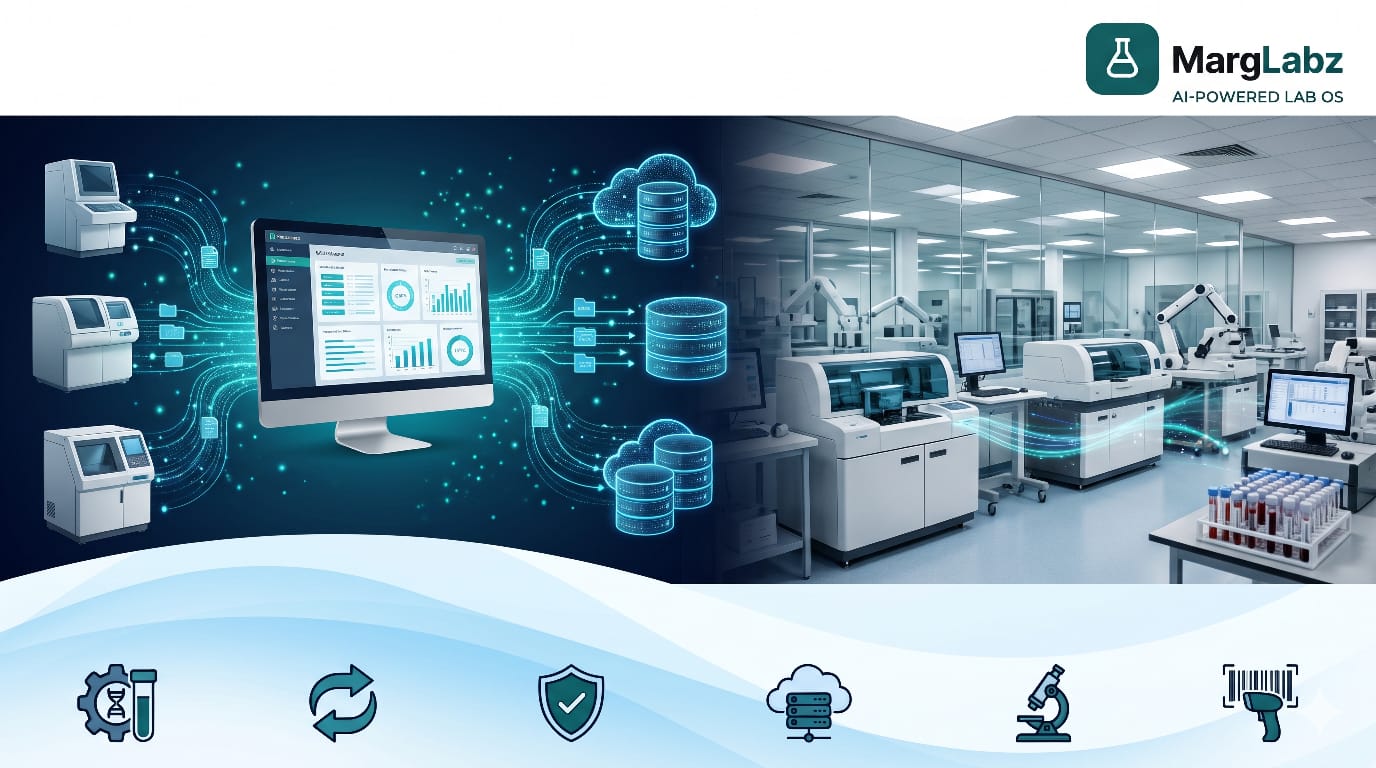
Modern diagnostic laboratories require accurate testing, streamlined work processes, and fast results reporting. With increasing sample volumes, and a growing number of diagnostic instruments being used, manual data entry into disconnected systems may present operational issues. Middleware solutions provide a way to address these types of issues by integrating diagnostic analyzer outputs with laboratory information systems and other compatible software.
The use of middleware by pathology lab owners, diagnostic center operators, hospital lab managers, and multiple branch labs network will enhance the transfer of data, decrease the repetition of tasks, and assist in automating lab operations.
When used in conjunction with a quality pathology lab software system and lab management software system, middleware can provide a better-connected laboratory environment. Laboratory managers who are considering if they should purchase an additional integration solution or if their current software can meet all of their needs will find that knowing what middleware does is helpful.
What Is Laboratory Middleware?
The middleware of a laboratory is a computer application that links the results from an analyzer used in diagnosis to other applications including LIS, LIMS, or other computer applications within a laboratory.
The main objective of this instrument is to send and receive data from other similar devices and software programs. The types of data that can be sent or received include, but are not limited to, testing orders, identification of samples, identification of patients, and the results of laboratory analysis.
Middleware, depending on its ability, can also provide results validation, flags for abnormal results, quality control monitoring, exception handling, and workflow management.
For example, after a lab runs a blood sample through a automated hematology analyzer, the analyzer will produce the results of the test. Middleware can send the results to the lab’s system and allow for authorized personnel to view the results and proceed with the reporting process.
This allows for less repetition of data entry and assists staff with more efficient management of information.
The use of middleware does not necessarily mean that the pathology software is being replaced. While middleware is used to connect instruments to the system and allow for the exchange of data among the instruments and other systems, the pathology software will usually perform a wide variety of functions including registering patients, tracking samples, creating reports, billing, and performing administrative tasks within the laboratory.
How Does Laboratory Middleware Work?
Laboratory middleware is an intermediate layer that provides communication between diagnostic instruments and laboratory software. This type of workflow usually involves these steps:
1. Patient Registration and Test Ordering
When a person enters the lab, they are registered into the system and the laboratory will create a request for the required tests. Each test request has a corresponding identification of both the patient and their sample.
2. Sample Collection and Identification
The samples are then collected, labeled, and made ready to be tested. Using barcode labels, each sample can be linked to the appropriate electronic record.
3. Analyzer Communication
Compatible analyzers receive test results via their respective supported interface(s) and/or protocol(s). The method of ordering will depend on the system. Some systems may transfer orders automatically, while other systems may have a pre-defined process for transferring orders.
4. Automated Result Transfer
Upon completion of the testing process, the analyzer will create results which will be sent to the middleware. The middleware will then process all of the data that has been generated, and will transfer the information to the relevant laboratory application.
5. Result Validation
The type of solution determines whether configured rules will highlight unusual findings, pinpoint discrepancies, or direct data to be reviewed again. Laboratory staff must adhere to established guidelines when submitting laboratory results.
6. Report Preparation
The laboratory information system (LIS) will use the transferred data to help prepare reports. Laboratory personnel who have authorization to do so, will review and release reports in accordance with the established laboratory guidelines.
The workflow reduces manual data entry and provides consistent information sharing.
Key Benefits of Laboratory Middleware
1. Reduced Manual Data Entry
Manually entering results from an analyzer into a laboratory software program is a time-consuming activity for the laboratory's staff and provides a potential for transcription errors. Middleware can provide automatic transfer of results that are compatible with the software, thereby reducing the amount of redundant activities performed by laboratory personnel and allowing laboratory personnel to spend more time performing tests and ensuring quality.
2. Improved Workflow Efficiency
Laboratories are able to reduce manual data transfer processes when they utilize middleware to link their different types of analytical devices and software packages. This allows laboratories to be more efficient with how they collect, store, and share laboratory results.
3. Faster Result Availability
Automated transfer of results will help minimize the delay that occurs after an automated analyzer finishes testing, and before the test results are available to view within the Laboratory Information System. The total amount of time required to obtain the results will continue to be dependent upon such things as; how long the sample is handled prior to testing, how long the sample sits in the instrument queue, what quality assurance procedures are followed during testing, how many people are working in the lab, and how much time it takes to get permission from a physician to release the results.
4. Better Data Consistency
Middleware can provide consistency with testing codes, sample ID's, unit's, and results formats by configuring mappings and interfaces.
5. Support for Quality Control
Quality-control monitoring, instrument status information, and configurable result rules are supported by some systems. These functions will assist laboratory personnel in identifying areas where there may be a need for further investigation; however, these systems should not take the place of laboratory quality-management processes.
6. Improved Staff Productivity
Automation can reduce the amount of time that laboratory staff needs to use for repetitive, routine data transfer activities. It can also allow them to spend more time performing other functions such as analyzing laboratory test results, identifying and addressing exceptions, and ensuring the quality control and assurance processes are being followed.
7. Better Analyzer Connectivity
Laboratories can use equipment manufactured by various companies. Middleware can act as a single, common integration layer for compatible analyzer systems, making it easier to communicate with the lab's software.
8. Greater Operational Visibility
Middleware provides a way to find out what is going on with pending results, issues with communicating with devices, and problems that have yet to be resolved. This allows laboratory managers to understand why there may be a bottle neck in the process and how to make the workflow run more smoothly.
When Does a Diagnostic Lab Need Laboratory Middleware?
A distinct middleware solution is not required for each diagnostic laboratory. The need for a separate middleware solution will depend upon several factors including the volume of tests being run, how compatible the analyzers used are with other systems, the current software being utilized, the complexity of the laboratory operations and finally, the financial resources available.
Multiple Diagnostic Analyzers
Laboratories that utilize multiple analysis equipment can find managing various communication interfaces and results format challenging. Middleware provides laboratories with an easier way to share information among supported analysis equipment and laboratory applications.
High Testing Volumes
Laboratories that process many samples each day can potentially lose valuable time when they manually transfer laboratory result data. Laboratory middleware can automate some of the labor-intensive tasks associated with laboratory result transfer and help laboratory personnel handle the increasing amount of work required of them.
Frequent Manual Errors
Errors such as duplicate transcriptions, mismatched IDs, and inconsistencies in results format could be signs that the current workflow requires an update. If the middleware is set up properly, it can help prevent some of the manual errors that occur during the process.
Reporting Delays
Manual entry of test data into a report can cause delays in report generation. Use of middleware can expedite the process of transferring test data, however, there are many factors within a laboratory environment that can also impact turnaround times.
Different Analyzer Manufacturers
Laboratories that use equipment from various manufacturers could benefit from a single system that will provide all of the interface requirements. It is necessary to verify compatibility with the specific model of analyzers being used and the communications protocols employed by each instrument.
Multi-Branch Laboratory Networks
Standardized Analyzer Connectivity May Be Needed For Diagnostic Chains Across All Locations. Middleware Can Support Instrument Integration, While Central Laboratory Software Manages Broader Patient, Reporting And Administrative Workflows.
Hospital Laboratories
Hospital lab's share data with hospital info systems & electronic health records. Middleware can help connect lab instruments to these systems if there is a common interface.
Expansion and Automation
When laboratory plans to include additional instrumentation, add new departments, or enhance its ability to conduct tests it should evaluate the need for integration of these changes as soon as possible. Doing so will help to prevent unexpected problems with how they relate to existing systems, as well as cost overruns associated with implementing those changes.
Laboratory Middleware vs. Pathology Lab Software
Laboratory middleware and pathology laboratory software are designed to work together, even though they have distinct roles
Middleware mainly links analyzers with laboratory systems and provides support for transferring data. Pathology software usually handles larger laboratory workflow processes, such as registering patients, monitoring samples, generating reports, and billing.
Middleware, for instance, might move a finding from an analysis device, whereas pathology software would link that finding to the appropriate patient's file and help prepare reports.
Middleware Pathology Lab Software Analyzer connectivity Primary function Can be built in or integrated result transfer Common May support Receive & manage results patient registration Usually limited/external May support Sample tracking Varies depending upon solution May support Report generation May route results May support Billing Not usually a main function Often included Inventory management Not usually a main function May be included
Some laboratories have the ability to connect to their analyzers via an LIS (Laboratory Information System) and therefore do not require the use of a separate middle-ware product. It is recommended that laboratories review existing capabilities prior to purchasing any new software products.
How Lab Management Software Complements Middleware
Lab management software coordinates tasks associated with performing diagnostic tests. The software is used for many different purposes including registering patients, ordering tests, tracking samples, managing reports, billing, tracking inventory, and generating reports about operations.
The middleware can transmit analysis results to the laboratory's connected software. Laboratory software is used to manage patient records and reporting processes. Integration between these two types of software will help decrease the amount of times data needs to be entered into multiple systems and provide more access to relevant information.
Before choosing a solution, inquire if analyzer integration is included in the package, if there will be a need for additional middleware, and what specific instruments the system supports. Additionally, consider how well the solution addresses security concerns, manages user permissions, creates audit trails, performs backup functions, and provides technical assistance.
Laboratory Middleware for Different Types of Laboratories
Independent Pathology Laboratories
Smaller labs should consider whether to purchase middleware based upon how many analyzers they are using and/or the volume of samples they process; if it's high enough to warrant automating sample data input, then they will find that middleware is a good option. They can also use their existing pathology lab software to determine if there are other options for automation.
Diagnostic Centre Chains
Multi-site diagnostic centers will likely require standardizing the processes used for each site’s analysis equipment and the workflow of each site. Middleware can facilitate connectivity between the equipment at multiple locations, and a single central software package can assist with coordination of the reporting and administrative functions.
Hospital Laboratories
Hospital labs can utilize middleware for connecting diagnostic equipment to laboratory and hospital information systems. While patient ID verification, data security, result validation and clinical review continue to be critical.
B2B Reference Laboratories
Reference laboratories frequently receive and process samples collected by hospital, diagnostic center, and other collection site personnel. Laboratories utilize laboratory information system (LIS) software to manage patient data, sample processing workflow, report generation, and billing. Middleware may be used to facilitate fast and accurate transmission of laboratory test results.
Important Features to Check Before Choosing Middleware
Before purchasing laboratory middleware, evaluate these important capabilities.
- Analyzer compatibility: verify that you will be able to utilize your selected instrument(s) as well as the necessary interface.
- LIS and LIMS Integration: Verify that order data, identification information, and laboratory results can be transferred properly between the two systems.
- Result validation: Understand how configured rules and exceptions are managed.
- Evaluate if the present options are appropriate for what your laboratory needs.
- Audit trail: Find logs which will assist with investigating failed transfers and/or inconsistencies.
- Evaluate data security with regards to access control, secure communications, backups and all relevant privacy regulations.
- Scalability: Will the system be able to accommodate more instruments and branches?
- Technical support: Verify arrangements for installation, maintenance, training, and troubleshooting.
- The complete expense: License fees, interfaces charges, configurations, service support, and future upgrades.
A technical review can verify if the proposed solution is consistent with the needs of the lab.
Common Challenges During Implementation
Analyzer Compatibility
Before installing an instrument, you should check to see if it will work with other instruments that you have installed. Different instruments can use different types of protocols and data formats. It is important to make sure they are compatible.
Incorrect Data Mapping
Test code, unit, identifier and results formats should be configured properly. If they are configured incorrectly, it may cause consistency issues or reporting problems.
Staff Training
Staff should understand the path that orders, results, exceptions and flags take through the new workflow.
Data Security
Connected devices/applications should have appropriate security controls, communication channels that are protected from unauthorized access, continuous monitoring for threats, and backups in place.
Ongoing Maintenance
Software upgrades, instrument replacement, and/or changes to workflow can create a need for update to the user interface and additional testing.
An effective implementation plan must include: checking for system compatibility; testing with a representative sample; providing training to employees; verifying and documenting all steps of the process; and monitoring performance after the initial implementation phase.
How to Decide Whether Your Lab Needs Middleware
Before investing in a separate middleware platform, consider these questions:
- Does your laboratory operate multiple analyzers?
- Is manual result entry consuming significant staff time?
- Are data-transfer errors or reporting delays recurring problems?
- Are the analyzer interfaces you currently use with your pathology software capable of supporting the required interfaces?
- Do you need standardized workflows across several branches?
- Will the expected operational benefits justify the total cost?
If the current lab software provides good integration with the analyzers, then it might be possible to use it without purchasing a separate middleware. On the other hand, if there are problems with the integrations such as delays or manual steps that occur on a regular basis, then evaluating middleware could be beneficial.
The choice will depend upon your business processes, how compatible the instrument is with your current systems, the level of difficulty of implementing the new solution, and what kind of expansion you plan to do in the future.
Conclusion
The middleware used by diagnostic laboratories to link analyzers with the laboratory information systems and to automate some of the data transfers is called Laboratory Middleware. When correctly set up, this middleware can assist in reducing manual transcription, improving the consistency of information, assisting with the processing of results, and streamlining workflows.
This should be considered by all laboratories that have more than one analyzer, do large numbers of tests, frequently make manual mistakes, or require standard connection capabilities between multiple sites.
As such, middleware is not always necessary for every lab. A number of pathology lab software and laboratory information systems (LIS) have built-in capabilities to interface with analyzers, and some labs may be better served by a dedicated middleware platform.
The best solution will depend on how well your equipment works together with your current software capabilities, what type of volume of testing you do, what you require for operations, and if you plan to expand in the future.
MargLabz is an artificial intelligence based Lab OS that supports labs in their daily work. Labs who perform diagnostic testing have the option of exploring the use of MargLabz to see if it would meet their laboratory workflow requirements.
Ready to improve your laboratory workflows?
Visit marglabz.com to explore MargLabz and book a free demo.