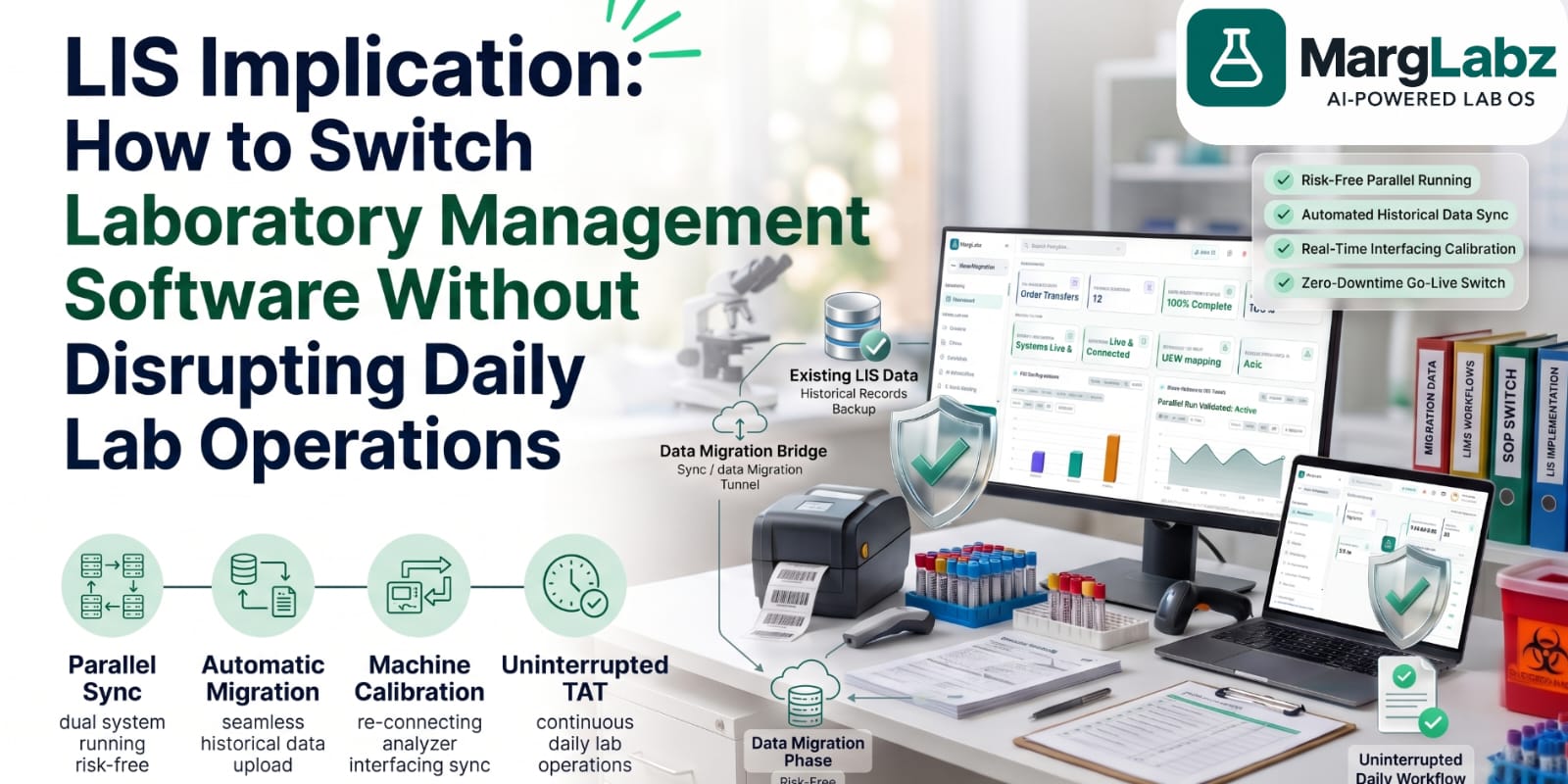
A diagnostic laboratory has the ability to implement a new laboratory information system (LIS) while continuing to function as usual by viewing the process as a formal project rather than just an install of software. This includes conducting an audit of the current LIS, cleaning up and mapping all existing data, performing tests prior to go-live, training staff members on their respective roles with the new LIS, and operating both the previous and new LIS at the same time for a predetermined amount of time prior to retiring the old LIS.
Fear of software change is universal among lab owners: "What will happen on Monday morning when 40 patients are lined up to check in and the new software cannot identify the cost of my CBC panel?" This is a valid concern. Lab software is the core of patient registration, tracking samples, processing analyzer data, invoicing, and delivering reports. A poor transition to new software results in delayed reports, incorrect invoices, and angry referring physicians.
There comes a time when many laboratories will realize that the costs of maintaining an outdated software system exceed the cost of replacing it with a more current model. For example, a laboratory may be using a legacy desktop application that has been unsupported for years. Or, perhaps laboratory staff are continuing to maintain separate Excel spreadsheets due to the inability of the software to perform the functions required. It is possible that the addition of a second or third branch has demonstrated that the software was never developed to support multiple sites. Finally, the laboratory's reporting functions may appear outdated, and it may be difficult to obtain a simple outstanding-payments report or turnaround time report.
This is the area that will be impacted by LIS implementation. When done correctly, this will be a planned and managed business/technology transition so that neither your patients nor doctors know that anything has changed. In this guide you can find out what LIS implementation includes, which data moves, our recommended ten-step process, how to minimize disruption, and how to select a system that can make the transition less painful.
What Is LIS Implementation?
Short answer: The complete implementation of an LIS (laboratory information system) includes the steps required to plan, set up, move data to, test, deploy and stabilize the LIS so that it can be used to support your lab's actual workflow.
The purpose of a Laboratory Information System (LIS) is to provide an electronic means for managing all aspects of the laboratory environment, including but not limited to patient registration, ordering tests, labeling and tracking samples, analyzing samples, validating analysis results, generating reports, billing patients, and storing historical data. While there may be some regional differences in terminology, the terms "LIS," "LIMS," and "lab management systems" are typically utilized synonymously throughout India. However, traditionally, LIMS refers to a system with greater capability for managing both samples and inventory. The following article provides a detailed explanation of the differences among LIS, LIMS, and the entire testing workflow.
Installation is not the same as implementation. When installing, you put the software on a server or give users access through the cloud. Implementation is what makes the software usable immediately upon being installed.
decisions about what data to bring over and in what form;
- Configuration of tests, profiles, reference ranges, price lists, and reporting formats;
- connection to analyzers and printers;
- user roles and permissions;
- testing against real cases;
- staff training; and
- a managed go-live with support afterwards.
If you skip any of the above, your laboratory will have a new software program and all of the same problems that existed before. In addition, proper planning provides a written record of what you agreed upon and tested; this can be extremely helpful if you are asked by an auditor to demonstrate how you have validated your information system.
Why Do Diagnostic Laboratories Need to Switch Their Existing Software?
Short answer: Labs switch systems when their current setup is limiting growth, accuracy, compliance, or visibility. Additionally, labs switch when implementing temporary "work-arounds" will be more expensive than executing a planned system upgrade.
Most of the times. When we look at the labs in India, they have practical problems and not technical ones.
Older hardware/software. Desktop computers used in laboratories are usually older models and use old versions of their operating systems. Also, many of these manufacturers do not provide support for the hardware/software. A single hardware malfunction can bring down the entire laboratory.
Manual processes surrounding the software. When technicians manually input analyzer readings, the reception staff completes receipt writing manually during busy periods, or the laboratory compiles results using Word, there are inherent opportunities for error and delay.
Reporting limitations. Users have simple inquiries: Who among doctors generates the highest revenue? What is the mean duration of processing for thyroid panels? How large of a balance remains unpaid by corporate clients? When the software cannot provide answers to these questions, users make decisions based upon gut feelings.
Multi-Branch Difficulty. A laboratory with a main facility and four additional facilities will typically require one "test master," one "rate list," and one "patient history" to be shared among the five facilities. If there are five separate installations of software, this cannot occur.
Poorly integrated. Manual labor is created because of poor two-way communication between the analyzer, poor automatic report delivery via WhatsApp/Email, and lack of integration with the accounting system. To see what a well-integrated laboratory looks like, please review our overview of laboratory integration in India.
Compliance and data protection. ISO 15189:2022, used by NABL to accredit medical laboratories, has requirements relating to how data and information are managed. The Digital Personal Data Protection Act, 2023 of India, and the DPDP Rules, 2025, which were notified in November 2025, have additional responsibilities regarding consent, security safeguards, and breach management for those organizations processing personal data. As described in government publications, there is an eighteen-month phased compliance period, meaning that many of the significant requirements will become effective in May 2027.
Since labs maintain sensitive health data, a system without role-based access control and audit trails presents increasing risks. It would be advisable to seek legal advice regarding your organization's specific obligations.
When Is the Right Time to Change Laboratory Management Software?
Short Answer: When the costs of implementing work-arounds, error correction, and loss of visibility are significantly more than the cost/time required to plan for a migration, and when you have a quieter time to perform that migration.
Useful signals include:
- Reports or invoices need regular manual correction.
- Support is slow or unavailable, or updates stopped long ago.
- You're adding branches, collections at home, businesses (B2B) and outsourced testing that weren't planned when you developed the system.
- Analyzers cannot be connected, or the connection needs constant manual intervention.
- Producing audit trails, quality control records and turnaround reports requires hours of manual compilation.
- Staff keep personal spreadsheets as the "real" record.
- Our laboratory backup and disaster recovery guide covers irregular or untested backups.
Timing is just as important as necessity. Do not begin the go-live process when there are high levels of demand, such as those that occur with monsoon dengue/fever peaks, winter respiratory illnesses, NABL surveillance/reassessment periods, or financial year-end billing. To determine what times of year will be least busy for your laboratory, refer to our article on planning capacity for seasonal testing surges. For most laboratories, a relatively inactive period in the middle of the year provides the best opportunity for a smooth cutover.
What Data Needs to Be Migrated During LIS Implementation?
Short answer: Typically patient records, doctor records, test masters, test profiles, rate lists, historical reports, laboratory configurations and user accounts. The actual scope depends on what your old system stores, the quality of that data, and what the new software supports.
Not all data deserves the same effort. A sensible approach is to sort it into three groups: what must be live on day one, what should be available for reference, and what can stay archived.
| Data category | Why it matters | Practical note |
|---|---|---|
| Patient records | Continuity of care, repeat visits, trend comparison | Check for duplicates (the same patient registered under different spellings) and missing phone numbers or ages |
| Doctor records | Referral tracking, report routing, commission | Merge duplicates such as "Dr. A. Sharma" and "Dr Anil Sharma" |
| Test master data | Every order depends on correct codes, units and methods | Confirm units, reference ranges and sample types |
| Test profiles and packages | Health checkup bundles, thyroid and lipid profiles | Check that each profile contains the right components in the right order |
| Rate lists | Billing accuracy | Include walk-in, doctor-specific, corporate, TPA and franchise rates where used |
| Historical reports | Trend comparison, medico-legal reference | Often brought in as searchable PDFs or reference records rather than fully structured results; decide this early |
| Laboratory configurations | Report formats, departments, instruments, units | Usually rebuilt in the new system, not copied |
| User accounts and permissions | Security and accountability | Better redesigned by role than copied one-to-one, and never share logins |
Data scope is a negotiation between your needs and technical reality. Some legacy systems export clean structured data; others only allow exports in limited formats. Ask the vendor early what can come across as structured data and what can only come across as documents.
Step-by-Step Laboratory Software Migration Process
A successful migration includes these 10 steps: Assessment, Defining requirements, Data Cleaning, Data Mapping, Migration, Workflow configuration, Testing/Validation, Training, Running both systems simultaneously (Parallel Run), Go-Live & Monitoring.
Step 1: Assess the Existing Laboratory System
Begin by documenting what the existing system does (even the informal things). List the modules being used; the format of reports, how it interfaces with analyzers, printers and accounting, the different user roles, and all of the spreadsheets or paper-based processes surrounding it. Find out how to export data from the system and if you have a recent, functional backup. One common finding among Indian labs is that there are many critical rules that exist only in the mind of a senior technician (e.g., "Hospital X always receives a 10% discount on packages unless they are outsourced tests.") Document those rules now.
Step 2: Define Migration Requirements
Decide how you define success. What needs to change, which part of the organization will be affected first, what the allowed downtime is for each step, and who must authorize changes. Define your success criteria (measurable), e.g., "All active rate lists are compared to representative samples of bills," or "Each analyzer produces correct patient results during testing." Assign a single internal decision maker, typically the laboratory director, to authorize decisions.
Step 3: Prepare and Clean Existing Data
This decision affects more of the end result than any other. Remove duplicate entries, complete incomplete entries, use consistent names for tests and units, and deactivate tests and physicians that are no longer being used. For instance, if your previous system included "Hb," "Hemoglobin," and "HAEMOGLOBIN" as different tests, pick one. Migration is an ideal opportunity to verify which personal information you truly need to migrate based on the principle of data minimization.
Step 4: Map Data to the New LIS
Mapping is simply connecting each existing field and/or code from the current system to its new counterpart: existing test code to new test code, existing doctor to new doctor, existing rate list to new price list, and existing units to new units. Incorrect mapping of tests is possibly one of the most detrimental types of error since it could unknowingly link the wrong reference range or price to a test. You should have a pathologist or senior technologist check your mapping tables for clinical relevance, not just IT.
Step 5: Migrate Patient and Test Records
Perform a trial migration of a copy of the data prior to checking the migrated data. Check record counts, perform a random sampling of patients, and confirm that your rates produce the same pricing as the prior system for commonly placed orders. After you are satisfied that the trial migration was successful, you can perform the actual migration. Do not modify or alter the original system's data during this process; make sure that the original system remains read-only.
Step 6: Configure Laboratory Workflows
Configure the registration fields, barcode labels, worklists, validation rules, delta check settings, report templates that include your letterhead and signatory information, and billing rules. Make sure to match the way your laboratory operates on a daily basis; this includes rejections, re-runs, amended reports and home collection. Connect analyzers and verify the two-way communications using actual samples. The LIMS Integration Guide provides you with a checklist of items to consider when integrating your laboratory into LIMS.
Step 7: Perform Testing and Data Validation
The testing process has two steps. The first step involves checking the data (i.e., whether the migrated patient histories, test masters, and rate lists match the source). The second step involves verifying the workflow (i.e., registering a patient, collecting a sample, printing a barcode, running it through the analyzer, validating, signing, and delivering the report, and generating an invoice). This includes testing awkward cases like a patient without an age, a package containing outsourced components, a corporate bill, and a re-run sample. Additionally, a designated individual needs to sign off on the results.
Step 8: Train Laboratory Staff
Train according to job type. The training for receptionists includes registration, billing and discount policies. For phlebotomists, the training includes sample collection and label application. Technicians will be trained on the creation of work lists, the review of laboratory test results and quality control. Pathologists will receive training in validating test results and signing off on them. Dashboards and Management Information Systems (MIS) are used by owners/managers. Your training should involve using actual test data from your clinic/hospital rather than generic demonstration examples; additionally, you should designate one person as a "champion" per branch location so other employees can contact him/her with questions.
Step 9: Run Parallel Operations Where Appropriate
The old and new systems can be operated at the same time for a specific amount of time. Generally speaking, this could mean that staff enter new patient information into the new LIS; however, the old system will still be available for reference and as a backup. Also, there may be one location or testing group that will use the new system first. Operating both systems simultaneously requires additional time since many tasks are completed twice. Therefore, you should establish a final cutover date and exit criteria prior to beginning the parallel run.
For example, if your organization experiences no discrepancies between your expectations of invoices being generated, results being delivered, and reports being completed in a timely manner during the past two consecutive weeks, you have met your exit criteria. A full parallel run does not apply to every lab. A small single site laboratory might choose to complete a quick, rehearsed cutover. On the other hand, a multi-branch lab, hospital panels, and B2B clients find parallel runs to be an excellent security measure.
Step 10: Complete Go-Live and Post-Implementation Monitoring
Select a low-volume day to cutover from your current system to the new system. Also make sure that the vendor has their technical support staff available on that day. It is also important to have a clearly defined "rollback" procedure in place if things do not go as planned.
Once the system goes live, perform a daily check during the first few weeks for any pending reports, error messages from your lab analyzer, any billing discrepancies, employee questions and/or patient complaints. Perform a short review of your progress at the end of the first week after going live and then again at the end of the first month. Your existing system's data should remain in a read-only state so that you can access it as long as you believe that you will still require it. Finally develop a retention policy and security procedures for the old system's data when you no longer need it.
How Can Laboratories Switch Software Without Disrupting Daily Operations?
In short, use a combination of phased migration, parallel runs, tested backups, training based on roles, a carefully selected cutting-over date, rehearsals of the workflow, and a written contingency plan. A single technique will not be sufficient.
Phase-by-Phase Transition. Transitioning an organization to a new system does not have to happen all at once; rather, you may choose to transition each branch, department, or client group individually. For example, if you are working with a laboratory that has a central facility and three collection points, you may opt to transition your smallest collection point to the new system first, use what you learn from that experience to guide the transition of the remaining two collection points. The disadvantage of this approach is that the transition process will likely take longer, and there may be a time when both systems exist simultaneously.
The parallel-run method as described in step 9 reduces the risk of errors; however, it requires a lot of self-discipline regarding what to put into each system and who will resolve any discrepancies.
Before beginning your migration process, create a complete backup of the existing system. Also verify that the backup can be successfully recovered. In addition to creating a backup, determine which individuals are authorized to initiate a rollback of the system and what type of paper-based backup systems may be used in case of an emergency.
Training of staff. Prior to the launch date, train staff. Practice the top ten common daily functions until they become second nature.
Many labs have a clear peak in collection in the morning and a slower period in the afternoon, so if you want to schedule a migration, the best time would be after hours (late afternoon) or on the weekend. This is typically a better choice than a Monday morning cutover.
This is about practicing workflow. This means you will practice the complete day of actual sample volume, including failed samples, repeats of testing, out-of-laboratory testing, and home collections, prior to moving over completely.
Contingency Planning. Create paper-based fallbacks for registration, and create manual reporting templates, then decide who will call whom when things go wrong. A contingency plan that exists only in someone's head is not a contingency plan.
Common LIS Implementation Challenges and How to Avoid Them
| Challenge | What it looks like | How to avoid it |
|---|---|---|
| Incomplete patient data | Missing age, gender or phone numbers cause report and follow-up problems | Profile the data early and set rules for incomplete records |
| Incorrect test mapping | Wrong reference range or price attached to a test | Clinician review of the mapping table and sample invoice comparison |
| Missing historical records | Old reports cannot be found after cutover | Decide early what becomes searchable and what stays archived |
| Staff resistance | Staff revert to old habits or paper | Involve them in testing, name champions, explain what improves for them |
| Workflow interruptions | Queues at registration, delayed reports | Rehearse, choose a quiet cutover window, add temporary support staff |
| Integration problems | Analyzer results not reaching the right patient | Confirm models and interfaces before signing; test with live samples |
| Insufficient training | Errors in billing and validation | Role-based training on your own data, with refreshers after go-live |
| Poor implementation planning | Scope grows, dates slip, nobody owns decisions | Written plan, named owner, acceptance criteria, sign-off at each stage |
The pattern behind most failed switches is not the software. It is unclear ownership and too little testing.
How to Choose the Right Laboratory Management Software
Short Answer: Select lab management software that aligns with your actual workflow processes, integrates with your testing equipment, can grow as you add branch locations and provides you with the correct implementation process and support (rather than just features).
The separate guide on how to choose laboratory management software for diagnostic centers will provide detailed information on demo questions. If you are looking at switching from one system to another, consider the following:
The entire process, from initial registration to reporting and then archiving, can be done with a single continuous workflow.
Patient/Doctor Management: Unique patient record, referral tracking, and commission.
Sample tracking: From collection to storage with barcoded labels. Read about how we track samples using barcodes in our sample tracking guide.
Billing and reporting: GST billing, panels, discounts, TPA and corporate rates.
Analyzer Integration: Specific makes & models, 1-way vs. 2-way; request a list.
The central branch manages testing masters and rates lists, while each branch controls their own operations.
User permissions: role-based access and audit logs.
Analytics: Turnaround time, outstanding payments, test volumes, and doctor-specific revenue.
The vendor provides migration and implementation assistance and has separate charges for these services.
Scalability: Can you increase your business, users, and volume of tests without having to change platforms?
Additionally, ask the question, "If I decide to leave, what will happen to my data?" If a vendor makes it easy for you to leave, they are generally confident in their products.
How MargLabz Helps Laboratories Transition to a Modern Lab Management System
MargLabz is a laboratory management system developed by Marg ERP Ltd. that provides an integrated solution for managing the workflow of Indian diagnostic laboratories, from the time of patient registration until the results of testing are delivered to patients. All the items listed below have been extracted from the MargLabz website. The exact extent to which these systems will be utilized within each lab will be determined through evaluation.
Assisted Migration. MargLabz claims that it offers assisted migration for patients, doctors, test masters and rate lists, along with a parallel run option so the lab can continue to function while the change takes place. These are the four major categories of data that impact daily billing and reporting.
The platform provides full coverage for your workflow. It includes registration, barcoded sample tracking, HL7/ASTM analyzer interfacing, validation of results, digital signature off, GST billing, inventory management, and WhatsApp reporting. Diagnostic centers and multi-branches can find additional information on the Diagnostic Center and Multi-Branch pages. Additionally, the Enterprise Plan offers centralized test master and rate lists, unlimited branches, and dedicated on-boarding.
AI-Powered Connected Capability. In addition to being the core LIS system, MargLabz also provides an AI Smart Report that will present results in plain language. Additionally, depending upon the plan that you select, there are other AI features available on some of the higher-end plans. The AI features are not provided with every migration, and what features each lab receives is based on their selected plan.
Security and compliance MargLabz has described how it secures its data both when it is being sent (in transit) and when it is stored (at rest). MargLabz uses role-based access control to allow only authorized users to access certain types of data. MargLabz also keeps audit logs of what users do with data. Finally, MargLabz handles user data in a manner that complies with the DPDP act by putting user consent first before using or sharing data. You can find more information about how MargLabz protects user data on its Security Page.
What we are unable to assert. If we can migrate historical reports, user account information or configuration settings, as well as how long it will take to complete the migration and at what cost, it depends upon the state of your current system and data quality. Request these details in writing.
The evaluation of MargLabz can be prepared by creating a brief overview of your organization's use of software, the number of branch locations within the organization, the type(s) of analyzer used in each location, the estimated number of patients seen per year at each location and the volume of tests conducted at each location, as well as the information that needs to be transferred from the existing software to MargLabz. After completing this step, you will then:
- Explore the MargLabz platform and check your analyzers on the integrations page.
- Ask for a product demo, and have the team explain a migration strategy for your current configuration.
- Contact the MargLabz team at +91 9821777238 to discuss your laboratory software migration needs.
Best Practices for Successful LIS Implementation
- Name one accountable owner with authority to decide.
- Audit before you buy so you know what you really use.
- Back up and test restoration before touching anything.
- Clean data first, then map and migrate.
- Let a pathologist or senior technologist review the test master.
- Test with real cases, including exceptions.
- Train by role, on your own data.
- Pick a quiet cutover window and have vendor support available.
- Set parallel-run exit criteria in advance.
- Monitor daily for the first weeks and hold structured reviews.
- Document decisions and validation for audits.
Future of Laboratory Information Systems
Three current developments are more realistic than abstract. The first is that cloud-based laboratory software can decrease reliance on one computer in the office and make it simpler to see across multiple locations; however, you'll need reliable internet access and a strong policy regarding data protection. The second development is that integration is growing. It has expanded beyond just connecting to analyzers and accounting software to include the ability to link with ABDM and ABHA-linked health records, send notifications via WhatsApp, and provide API access.
The third development is that AI is beginning to be used to help explain reports to patients, monitor the quality of testing, and improve patient communications. However, while AI can assist in these areas, it is not intended to replace professional judgment. Although these developments may make your job easier, none of them will eliminate the importance of having an effective implementation plan. A new platform with poorly transferred data is still an inadequate system. Laboratories that develop a reproducible, well-documented process for implementing LIS will experience significantly less stress when they upgrade in the future.
Conclusion
Successful LIS implementation is mostly planning, data discipline and people. Assess what you have, clean and map your data, test with realistic cases, train every role and use a parallel run or phased approach so that patients and doctors never feel the change. If you are considering a switch, book a MargLabz demonstration and bring your current setup so the conversation is about your lab rather than a generic product tour.